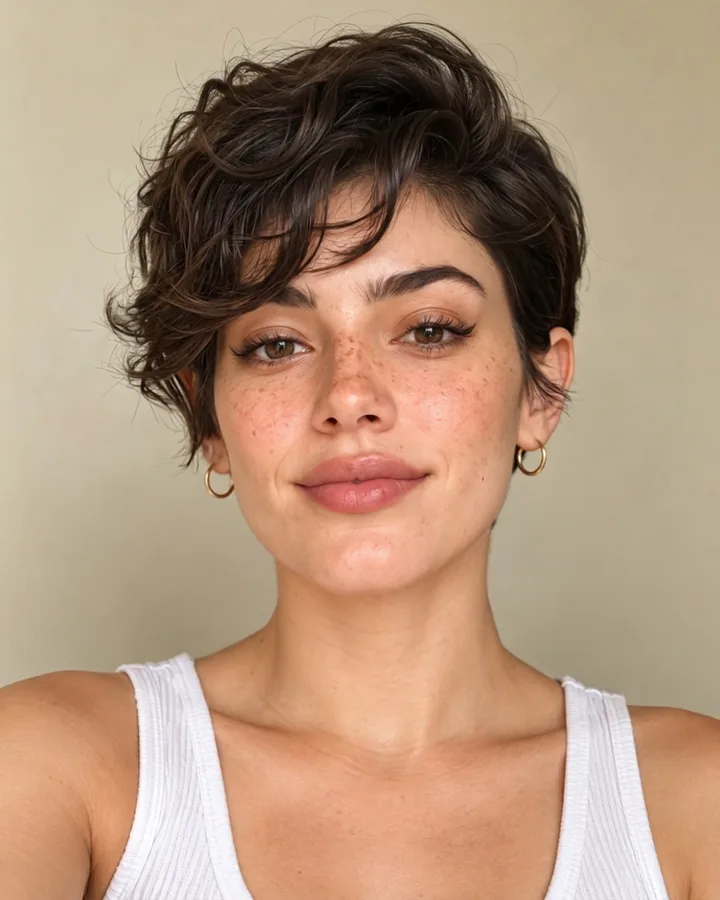
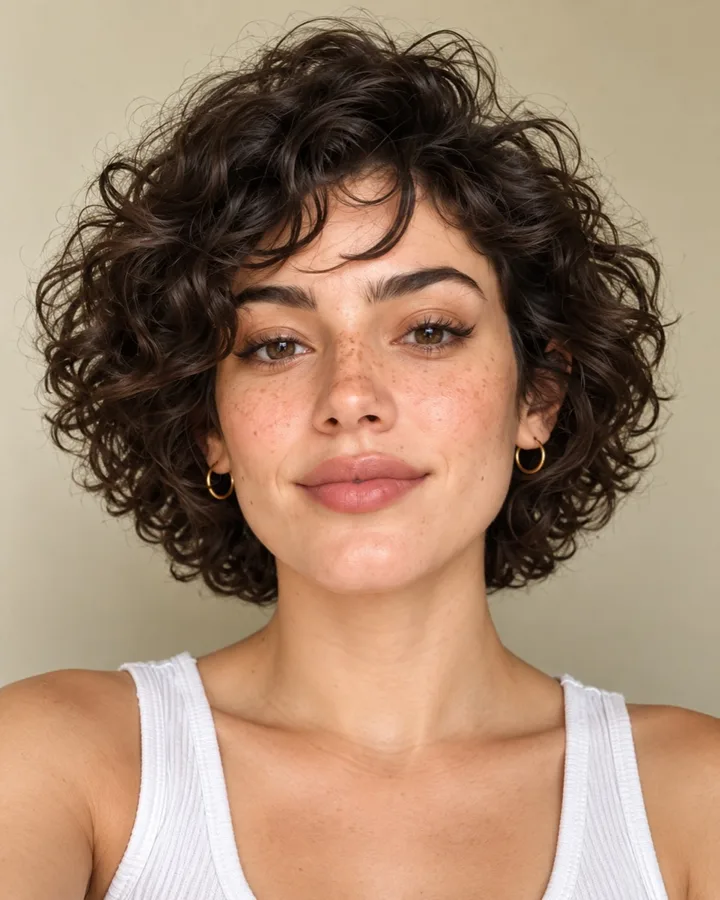
How does the AI hairstyle try-on work?
Upload a front-facing selfie. FaceTwin first measures your face shape in your browser (oval, round, square, heart, oblong or diamond) and highlights the cuts that usually suit it. Pick one of 12 women’s cuts, 10 men’s cuts or 4 hair colours and press Try. Your photo is then uploaded once, with your consent, to our server and an image-editing AI that is instructed to change only the hair and keep your face, skin tone, expression, clothes and background unchanged. A new photo comes back in about 10–40 seconds and stays in your account for 7 days; the uploaded selfie is deleted right after. Your first AI portrait or try-on is free after Google sign-in, with no watermark; after that each try-on costs 10 credits, from $4.99 for 50 credits, with no subscription.
- Only the hair is edited — face kept
- 26 options: 12 women’s, 10 men’s, 4 colours
- Face-shape suggestions from 68 landmarks
- First try-on free · then 10 credits
Find the right cut first
Which haircut suits me? Start from your face shape
Before you spend a try-on, the free part does the thinking. FaceTwin places 68 landmarks on your selfie in your browser, measures your face length against cheekbone width and your jaw and brow widths, and classifies your face shape. Cuts that usually balance that shape are marked “Suits your face” and offered first.
| Face shape | Cuts we suggest first | Why |
|---|---|---|
| Oval | Long layers, curtain bangs, bob, textured crop | Balanced proportions — most lengths work |
| Round | Long layers, long pixie, quiff with fade, side part | Height and vertical lines lengthen the face |
| Square | Wavy lob, butterfly cut, side-swept bangs, curls | Soft texture balances a strong jaw |
| Heart | Chin-length bob, curtain bangs, side-swept bangs, quiff | Width near the jaw balances a wider brow |
| Oblong | Curtain bangs, French bob with fringe, shag, crew cut | Fringes and side volume shorten the face |
| Diamond | Pixie, chin-length bob, curtain bangs, textured crop | Width at the brow and chin shows off cheekbones |
In our reference set of 1,196 frontal faces, 52% measure as oval, 16.5% oblong, 10.5% round, 8.9% heart, 8.4% square and 3.8% diamond — so if you are unsure, start with the shape guide for your result.
How to get a realistic result
- Use a front-facing selfie in soft, even light — the same photo the free face analysis likes.
- Pull your hair back or keep it simple, so the edit has a clear hairline to work from.
- Hold the phone at eye level and at arm’s length or further; close selfies distort the face.
- Try a colour first if you want to keep your current cut — colour edits keep the length and shape.
- Compare two or three options side by side before booking a cut. Hair texture and density matter as much as shape.
The edit is a preview, not a promise: a stylist adapts every cut to your hair type, growth pattern and how much time you want to spend styling.
Privacy: what is uploaded and when
| Step | Where it runs | Uploaded? |
|---|---|---|
| Face shape and suggestions | Your browser | No |
| Choosing a cut | Your browser | No |
| Creating the try-on | Our server + an image-editing AI provider | Yes, once, after you confirm; deleted right after |
| Your result | Your account | Kept 7 days, then deleted |
We do not use your photo to train models, and we never show it to anyone else. FaceTwin is for adults trying styles on their own photo — please don’t upload other people.
Price
Your first AI portrait or hairstyle try-on is free after Google sign-in, with no watermark on the download. After that, each try-on costs 10 credits. Credit packs start at $4.99 for 50 credits (five try-ons), with no subscription, and unused credits can be refunded for 14 days. If a try-on fails, its credits are returned automatically.
Frequently asked questions
Can I try on hairstyles on my own photo for free?
Yes — your first AI portrait or try-on is free after Google sign-in, with no watermark. Finding your face shape and the cuts that suit it is always free and needs no account.
Does the AI change my face?
It is instructed to change only the hair and keep your face, skin tone, expression, makeup, clothes and background exactly as they are. Results are realistic photo edits, but like any AI they can occasionally soften small details — compare with your original.
What haircut suits my face?
Upload a selfie above: FaceTwin measures your face shape in your browser and marks the cuts that usually balance it. Our face shape guides explain the reasoning for each shape.
Is this a haircut filter or a real photo edit?
A real photo edit: the AI redraws your hair as a new photo rather than overlaying a flat filter, so hairline, strands and lighting match your picture.
Can men use it?
Yes. There are ten men’s cuts, from buzz cut and textured crop to curtains and a modern mullet, and anyone can try any cut or colour.
How long does it take?
About 10–40 seconds per try-on. Your result stays in your account for 7 days.
Is my photo uploaded?
Not for local lookalikes or face analysis: the model runs in your browser, so your selfie, landmarks and descriptor stay on your device. AI portraits, including the first free one, and full reports send your photo through our server to the AI provider after sign-in and separate upload consent. Reports also send your numeric measurements. FaceTwin does not save the original photo; it is discarded from request memory after processing.
More from the same selfie
Last updated 2026-10-10. FaceTwin is for entertainment and is not identity recognition, medical or cosmetic advice.