

How do I turn my photo into a cartoon portrait?
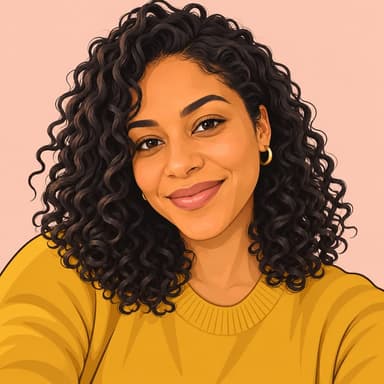
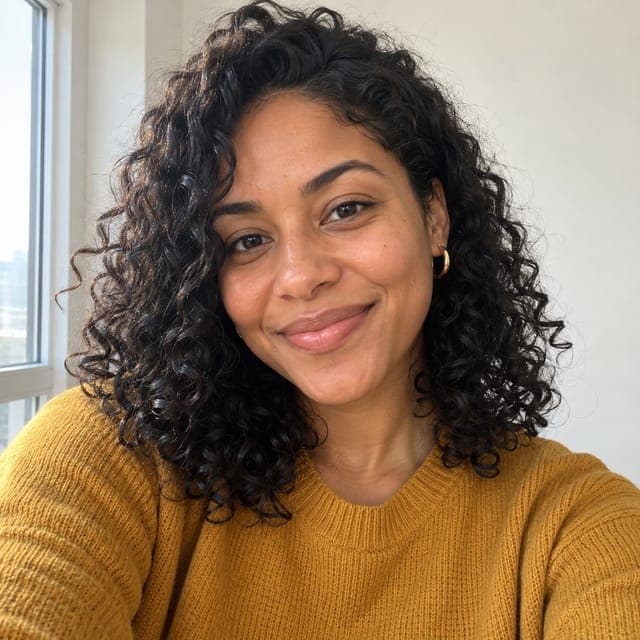
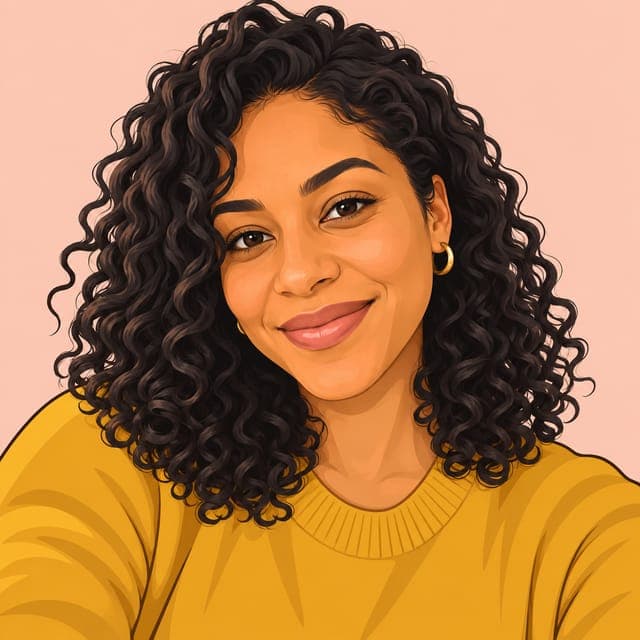
To turn your photo into a cartoon portrait with FaceTwin, tick the consent box and upload one clear photo of your face. In about 15 seconds the AI redraws you as a clean, flat cartoon illustration: natural proportions with no exaggeration, simple vector-like shapes, smooth flat colours with subtle shading, bold outlines and a soft solid pastel background — the look of a modern avatar or team-page illustration. It keeps your face shape, skin tone, hairstyle, glasses and other accessories recognisable. The first one is free in full HD with no watermark and needs no account; $1.99 covers two more styles. Choose this style for a profile picture, a team page, a speaker bio or anywhere a caricature would be too playful.
- No exaggeration: natural proportions
- Flat colours, bold outlines, pastel background
- First one free in HD; then from $1.99
- Good for profile pictures and team pages
More caricature styles
Cartoon portrait vs caricature
| Cartoon portrait | Caricature | |
|---|---|---|
| Proportions | Natural | Big head, exaggerated features |
| Look | Flat colours, clean outlines | Hand-painted texture, playful |
| Mood | Friendly and professional | Funny |
| Best for | LinkedIn, team pages, avatars | Gifts, cards, group chats |
Both start from the same single photo. If you are not sure, start with the cartoon portrait; $1.99 covers two more styles, so you can make a caricature next.
How to make a cartoon picture of yourself
- Tick the box to confirm you are 18+, the photo is of you, and it may be sent to our AI provider.
- Upload a sharp, front-facing head-and-shoulders photo, or take one with your phone.
- In about 15 seconds your first 1024×1024 HD portrait is ready, free and without a watermark. Download it; more styles are from $1.99.
For a consistent look across a team, ask everyone to take their photo against a similar plain wall in daylight. The $4.99 pack covers five portraits.
Where a cartoon portrait works
- Profile pictures on LinkedIn, Slack, GitHub or a personal website.
- Team and about pages where photos would look mismatched.
- Speaker bios, podcast covers and newsletter headers.
- Gaming and community avatars when you prefer not to show a real photo.
Tips for a better cartoon portrait
Even daylight and a plain background give the cleanest shapes. Keep accessories you are known for — glasses, earrings, a beard — because flat cartoon styles rely on a few strong details. Avoid photos with strong filters, heavy shadows across the face or several people.
Privacy
Your photo is sent through FaceTwin’s server to the AI image provider only after you tick the consent box. FaceTwin does not save the original photo; the cartoon portrait is kept for seven days so you can download it, then deleted.
Frequently asked questions
How much does it cost?
The first caricature is free: full HD with no watermark, one per browser while the daily free quota lasts, no account needed. After that, $1.99 covers two more portraits. A $4.99 pack covers five portraits. These are one-time payments with no subscription, and a failed generation never uses credits.
Is this a caricature?
No. A cartoon portrait keeps natural proportions and only simplifies shapes and colours. For a big-head look, use the photo-to-caricature or funny caricature pages.
Can I use it as a professional profile picture?
Yes. The clean flat style is designed for profile pictures, team pages and bios. The HD image is 1024×1024 pixels.
Which photo works best?
A sharp, front-facing head-and-shoulders photo of one person in even light, against a plain background.
Do I need to sign in?
No. The free first portrait and the $1.99 pack work without an account, and you get a private link that opens on any device for seven days.
Is my photo uploaded?
Not for local lookalikes or face analysis: the model runs in your browser, so your selfie, landmarks and descriptor stay on your device. AI portraits, including the first free one, and full reports send your photo through our server to the AI provider after a free first-portrait request or a credit purchase, and separate upload consent. Reports also send your numeric measurements. FaceTwin does not save the original photo; it is discarded from request memory after processing.
More from the same selfie
Related by topic
Caricatures and cartoons
The data behind the scores: FaceTwin facts · face shape statistics
Last updated 2026-10-18. FaceTwin is for entertainment and is not identity recognition, medical or cosmetic advice.