
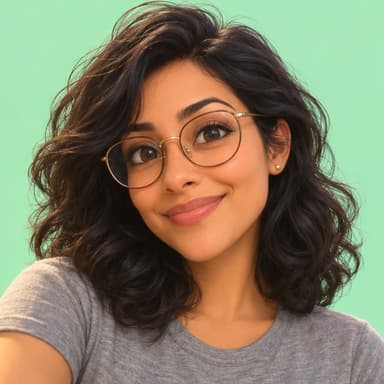
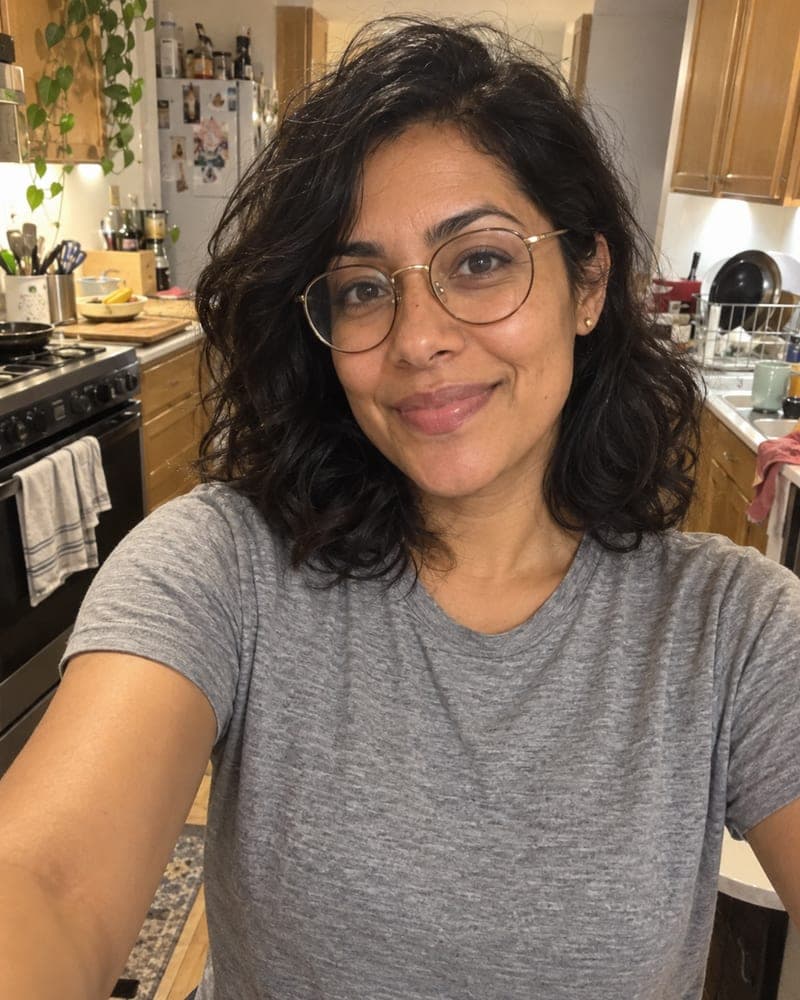
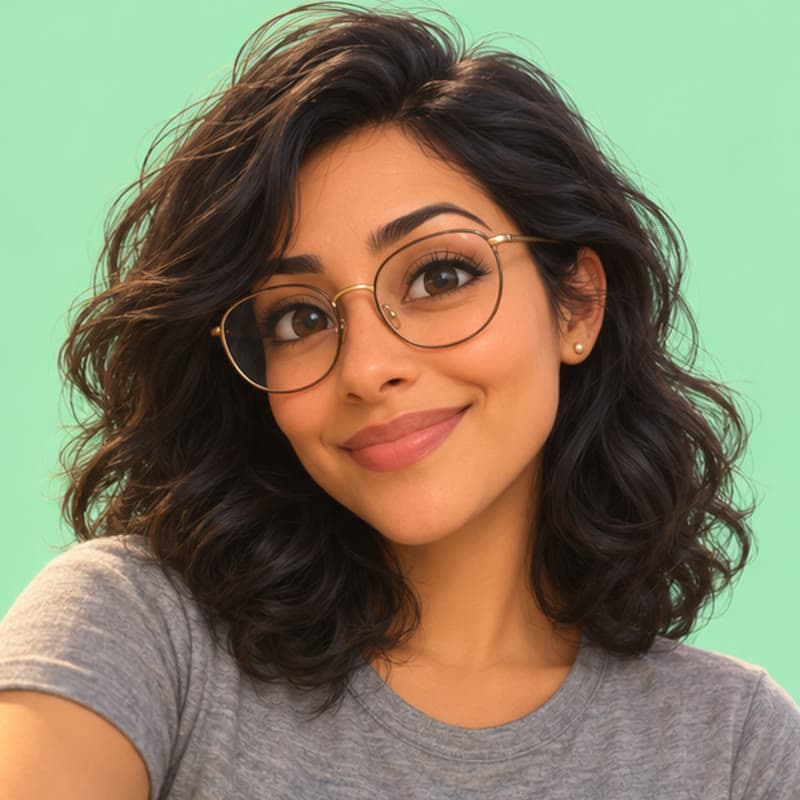
How do I turn my photo into a Pixar-style character?
Short answer: To turn your photo into a Pixar-style 3D character, upload one selfie to FaceTwin with the 3D animated style selected: in about 15 seconds you get an animated-movie version of your face that keeps your hair, skin tone and glasses. No prompt needed; first HD image free, then $1.99. Not affiliated with Disney or Pixar.
To get a Pixar-style 3D cartoon of yourself, you need an image model that changes the rendering style but keeps your identity. On FaceTwin, the 3D animated style is preselected: tick the consent box, upload one clear selfie and wait about 15 seconds. The AI redraws you as a friendly animated-movie character — larger expressive eyes, soft rounded features, smooth rendered skin and warm studio light — while keeping your face shape, skin tone, hairstyle, facial hair and glasses so friends still recognise you. There is no prompt to write. The first HD image is free with no account; after that each is $1.99, or five for $4.99, one-time. It is a style inspired by modern 3D animation, not official artwork: FaceTwin is not affiliated with Disney or Pixar and does not use their characters.
- 3D animated style preselected — no prompt
- Keeps face shape, hair, skin tone and glasses
- First HD free; then $1.99 each or 5 for $4.99
- Not affiliated with Disney or Pixar
Related
Make a Pixar-style picture of yourself in three steps
- Keep 3D animated selected (or switch to anime, pixel art or comic). Tick the consent box.
- Upload one selfie, face to the camera, in soft light. Your usual glasses and hairstyle help the likeness.
- Your 3D character appears in about 15 seconds. The first HD image is free — download it or try another style.
Ways to get the animated-movie look, compared
| FaceTwin 3D style | Chatbot with a prompt | Phone filter | |
|---|---|---|---|
| Prompt to write | None | Yes — and several tries | None |
| Looks like you | Face shape, hair, glasses kept | Varies with the prompt | Often a generic face |
| Result | HD still image | Still image, quality varies | Live filter or low-res image |
| Account | Not needed | Needed | App account usually needed |
| Free | First HD image | Limited by free image quota | Varies |
If you like experimenting with prompts, a chatbot can do this too. If you want a good-looking 3D character of yourself on the first try, use the tool above.
What changes and what stays
| Stays the same | Changes |
|---|---|
| Face shape, skin tone, age | Rendered as smooth 3D animation |
| Hairstyle and colour, facial hair | Slightly larger, more expressive eyes |
| Glasses and accessories | Soft, warm studio lighting |
| Expression and smile | Simplified, friendly background |
The model is told not to make you look like any real or fictional character, not to slim or whiten your face, and to keep the result family-friendly.
Tips for a better 3D cartoon of yourself
- Use a recent selfie with your whole face visible and no beauty filter.
- A plain background and soft window light give the cleanest render.
- A big smile reads well in 3D — the style exaggerates expression a little.
- For a group or family picture, have each adult make their own and place them side by side; the tool takes one face at a time.
Where people use their 3D character
Profile pictures for Instagram, WhatsApp, Slack and gaming; birthday cards and party invitations; stickers; team pages with a playful twist. The HD file is about 1024 pixels on the long side — plenty for a profile picture or a small print. For more looks from the same selfie, try anime, pixel art or comic next.
Privacy: what happens to your selfie
Your selfie is sent through FaceTwin’s server to the AI image provider only after you tick the consent box. FaceTwin does not save the original photo: it is used once in memory and then discarded. The result is kept for seven days so you can download it, then deleted. Use only your own photo — you must be 18 or older, and photos of children or public figures are not allowed.
Frequently asked questions
Is the Pixar-style AI free?
Your first HD image is free with no account. After that each is $1.99, or $4.99 for five — one-time payments, no subscription.
Do I need to write a prompt?
No. The 3D animated style is tested and preselected; you only upload a selfie.
Is this official Disney or Pixar artwork?
No. It is an animated-movie style inspired by modern 3D films. FaceTwin is not affiliated with Disney or Pixar and does not use their characters or logos.
Can I make one of my child or my pet?
Not of children — only adults, with their own photo. For pets, the pet caricature tool draws dogs and cats in a cartoon style.
Will it still look like me?
Yes — face shape, hair, skin tone, facial hair and glasses are kept. Only the rendering style, eyes and lighting change.
Is my photo uploaded?
Not for local lookalikes or face analysis: the model runs in your browser, so your selfie, landmarks and descriptor stay on your device. AI portraits, including the first free one, and full reports send your photo through our server to the AI provider after a free first-portrait request or a credit purchase, and separate upload consent. Reports also send your numeric measurements. FaceTwin does not save the original photo; it is discarded from request memory after processing.
More from the same selfie
Related by topic
Caricatures and cartoons
The data behind the scores: FaceTwin facts · face shape statistics
Last updated 2026-10-18. FaceTwin is for entertainment and is not identity recognition, medical or cosmetic advice.