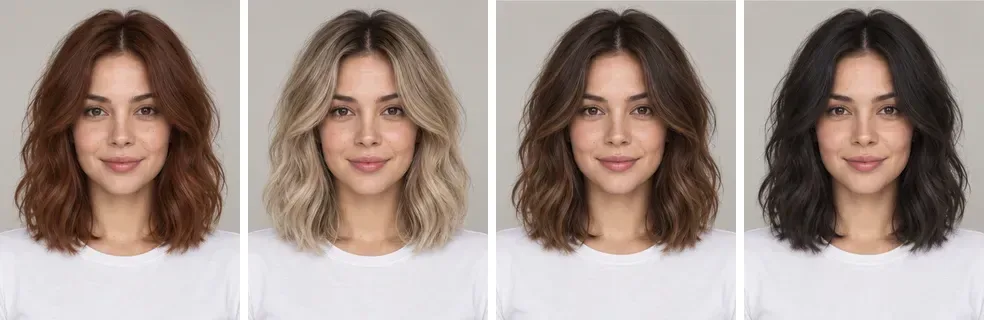
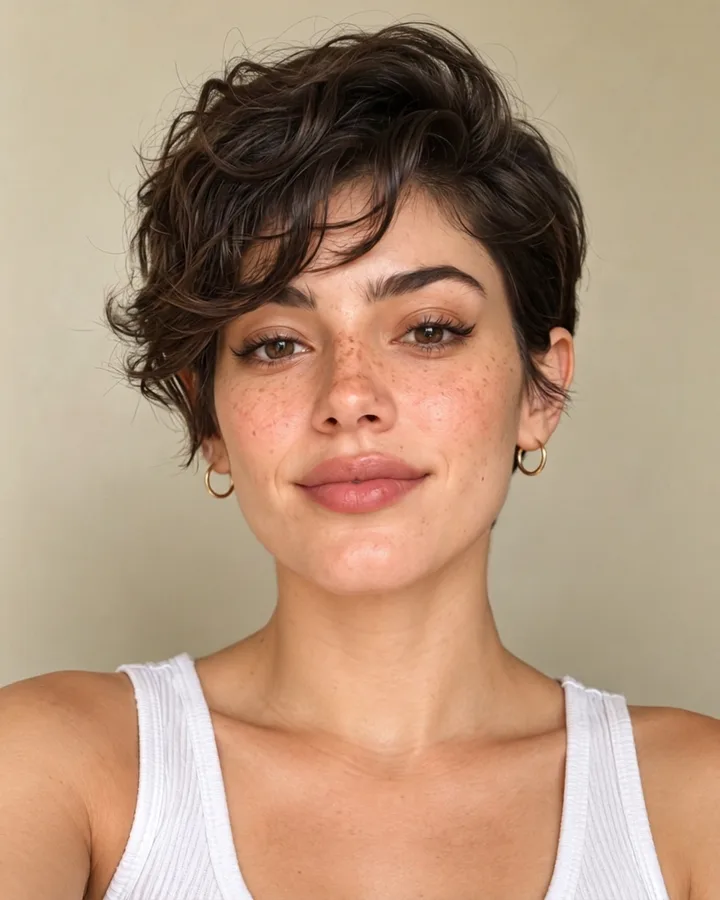
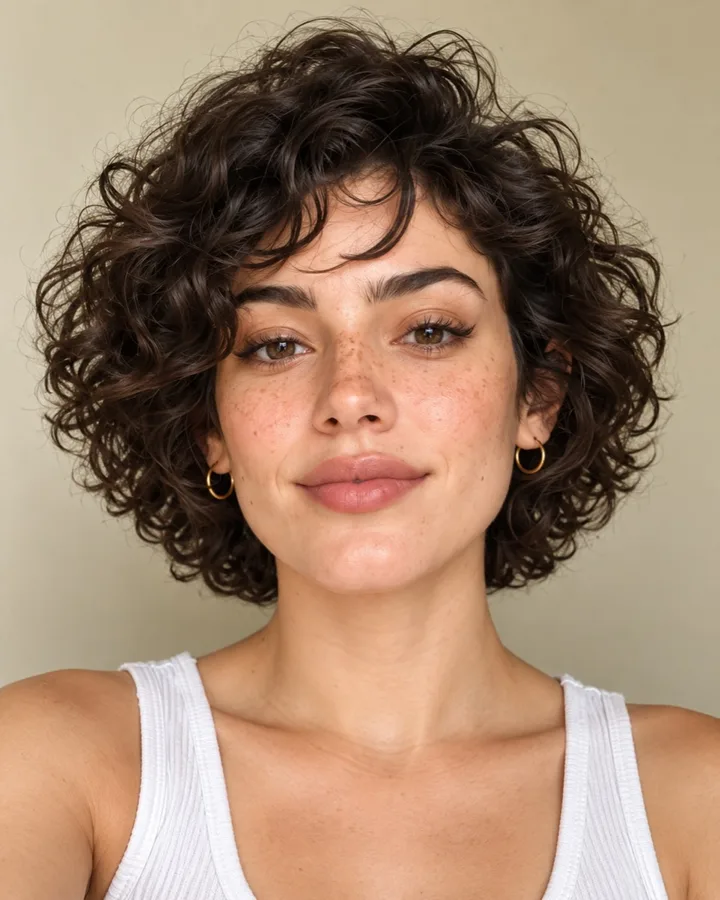
How does an AI hair color changer work?
Short answer: To see a new hair colour on yourself, upload a front-facing selfie to FaceTwin and pick copper red, platinum blonde, caramel balayage or jet black. The AI recolours only your hair and keeps the same cut, face and background in about 15 seconds. The first try is free with no account; further tries cost 10 credits.
An AI hair color changer takes one photo of you and repaints only the hair in a new shade. On FaceTwin you upload a clear selfie, choose a colour — copper red, platinum blonde, caramel balayage or jet black — and the image model keeps your exact haircut, length, parting, face, skin tone and background while it recolours the hair with natural roots, shine and lowlights. A result takes about 15 seconds. The first try is free with no account; further tries cost 10 credits. It works best with a front-facing photo in daylight where most of your hair is visible. Because screens and salon dyes differ, treat the result as a guide to how the shade sits with your skin and eyes, and bring it to your colourist together with a note on your current colour and any previous dye or bleach.
- 4 colours: copper, platinum, balayage, jet black
- Cut, face and background kept
- About 15 seconds per try
- First try free, then 10 credits
Related
Change your hair colour in three steps
- Upload a front-facing selfie in daylight, with your hair visible and not tied up tightly.
- Pick a colour: Copper red, Platinum blonde, Caramel balayage or Jet black. You can also switch to a new cut in the same tool.
- See the result in about 15 seconds and compare it with your original. The first try is free.
Which hair colour suits your skin undertone?
Look at the veins on your inner wrist in daylight: greenish usually means a warm undertone, bluish or purple a cool one, and a mix means neutral. Gold jewellery flattering you more than silver also hints at warm.
| Undertone | Usually flattering | Try with care |
|---|---|---|
| Warm | Copper red, caramel balayage, golden brown, honey blonde | Ash platinum, blue-black |
| Cool | Platinum or ash blonde, jet black, cool brown, burgundy | Brassy copper, orange-gold tones |
| Neutral | Most shades — caramel balayage and soft copper are easy wins | Very extreme contrast with your brows |
These are rules of thumb, not rules. Trying the actual shade on your own photo is the quickest way to see it.
What each colour takes at the salon
| Colour | From dark hair | Upkeep |
|---|---|---|
| Copper red | Usually lift + red tone; one session | Fades fast — gloss every 4–6 weeks, cool water |
| Platinum blonde | Several bleach sessions on dark hair | Toner every 4–6 weeks, roots every 4–6 weeks, bond care |
| Caramel balayage | Hand-painted lightening; one long session | Low — grows out softly, refresh every 3–4 months |
| Jet black | One session from most colours | Low upkeep, but hard to go lighter again later |
Show your colourist the try-on, a photo of your current hair in daylight, and tell them about any box dye or bleach in the last two years — it changes what is possible in one visit.
Tips for a realistic result
- Daylight beats indoor light: warm bulbs make every colour look more orange.
- Leave your hair down so the model sees its length and texture.
- Turn off beauty filters — they soften the hairline and edges.
- Compare the try-on with your original at the same size, ideally on the same screen.
Frequently asked questions
Is the AI hair color changer free?
Your first try is free with no account. After that each hairstyle or colour try costs 10 credits, bought as one-time packs with no subscription. A failed try never uses credits.
Will it change my haircut or face?
No — the instruction is to keep the same haircut, length, parting, face, skin tone and background and to change only the hair colour. If anything else drifts, try again with a clearer front-facing photo.
Which colours can I try?
Copper red, platinum blonde, caramel balayage and jet black, plus 23 haircuts in the same tool. More shades are planned.
Does it work on men’s hair and short hair?
Yes. It recolours whatever hair is visible, including short cuts; on very short buzz cuts the difference is smaller.
Is the result accurate to the real dye?
It is a good guide to how a shade sits with your skin and eyes, but dyes, your base colour and salon technique change the final tone. Bring the try-on to your colourist as a reference, not a promise.
Is my photo uploaded?
Not for local lookalikes or face analysis: the model runs in your browser, so your selfie, landmarks and descriptor stay on your device. AI portraits, including the first free one, and full reports send your photo through our server to the AI provider after a free first-portrait request or a credit purchase, and separate upload consent. Reports also send your numeric measurements. FaceTwin does not save the original photo; it is discarded from request memory after processing.
More from the same selfie
Related by topic
Hairstyles by face shape
- Hairstyles for oval faces
- Hairstyles for round faces
- Hairstyles for square faces
- Hairstyles for heart-shaped faces
- AI hairstyle try-on
- French bob try-on
- AI outfit try-on
- Face shape detector
- Face shape + hairstyles
- Hairstyles for oblong faces
- Hairstyles for diamond faces
- Hairstyles for triangle faces
- Glasses for face shape
- Eyebrow shape for face shape
- Gemini AI hairstyle
The data behind the scores: FaceTwin facts · face shape statistics
Last updated 2026-10-18. FaceTwin is for entertainment and is not identity recognition, medical or cosmetic advice.