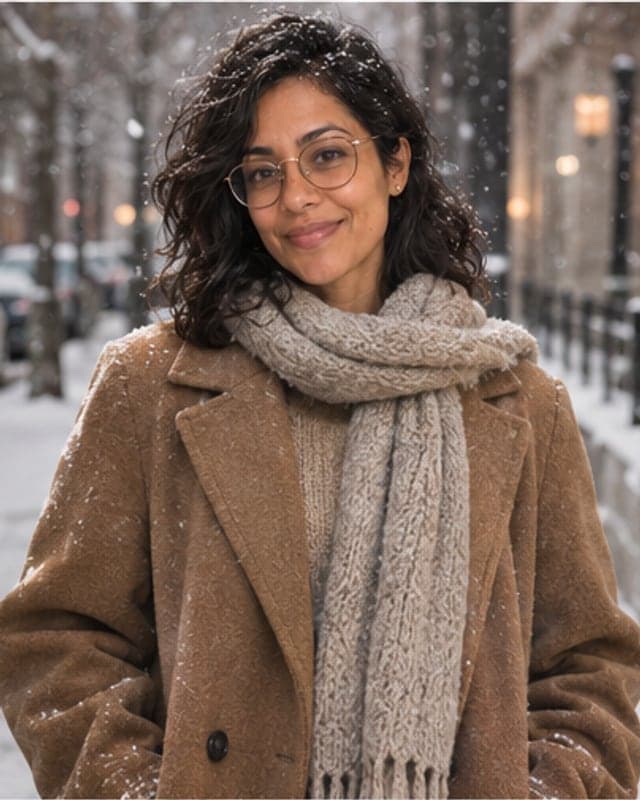
How do I see myself in a different outfit with AI?
Short answer: To see yourself in a different outfit, upload one photo to FaceTwin and pick a look — tailored suit, old money, streetwear, leather jacket, evening formal or winter coat. The AI keeps your face and changes only the clothes in about 15 seconds. Adults only, fully clothed looks; the first HD try-on is free with no account.
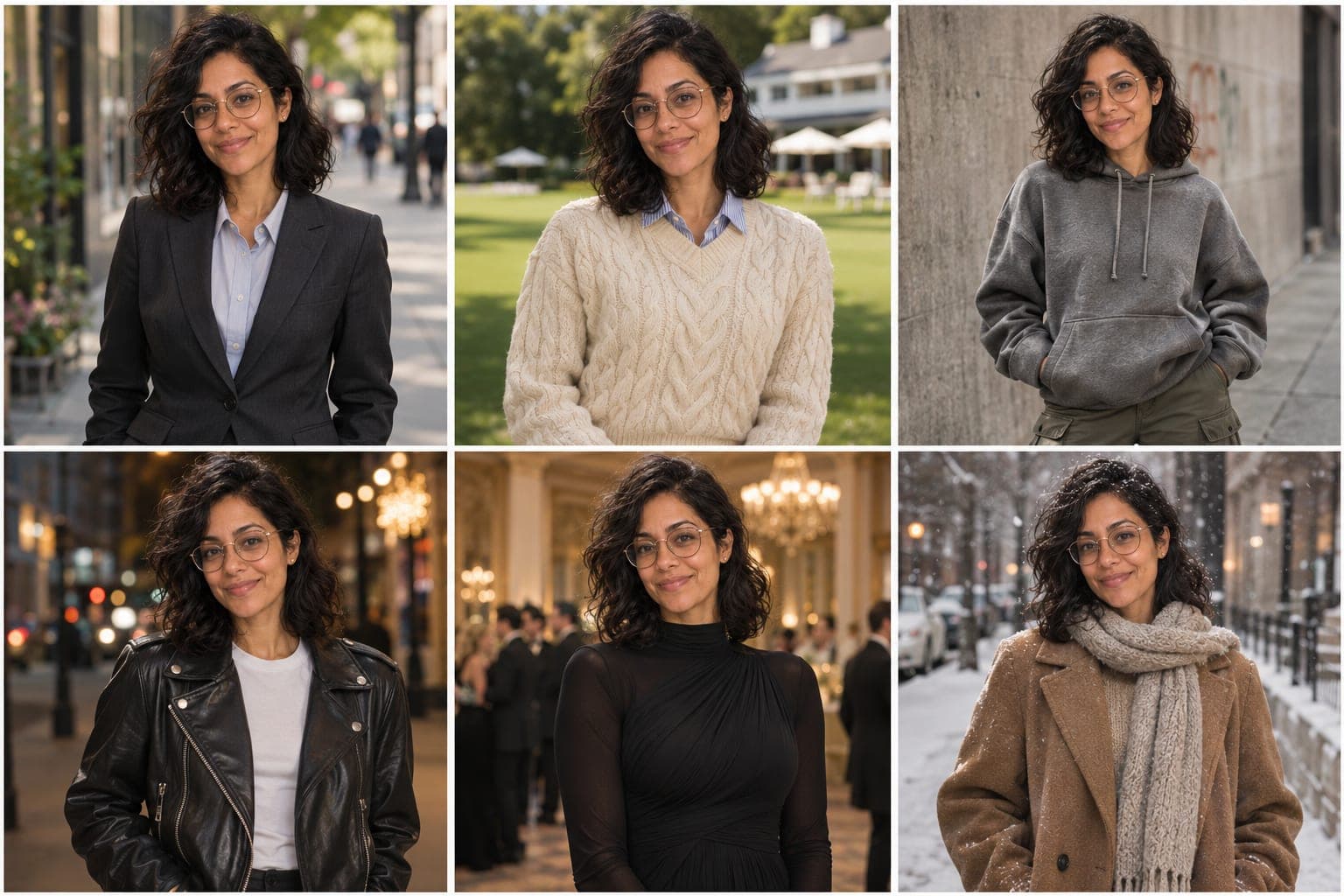
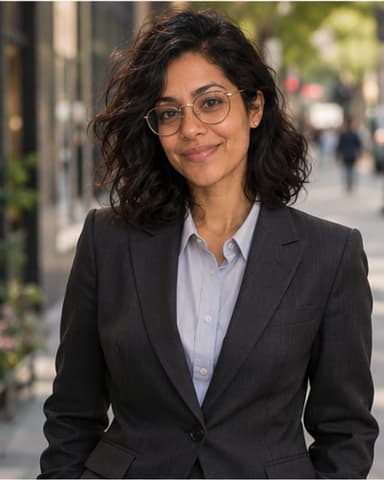
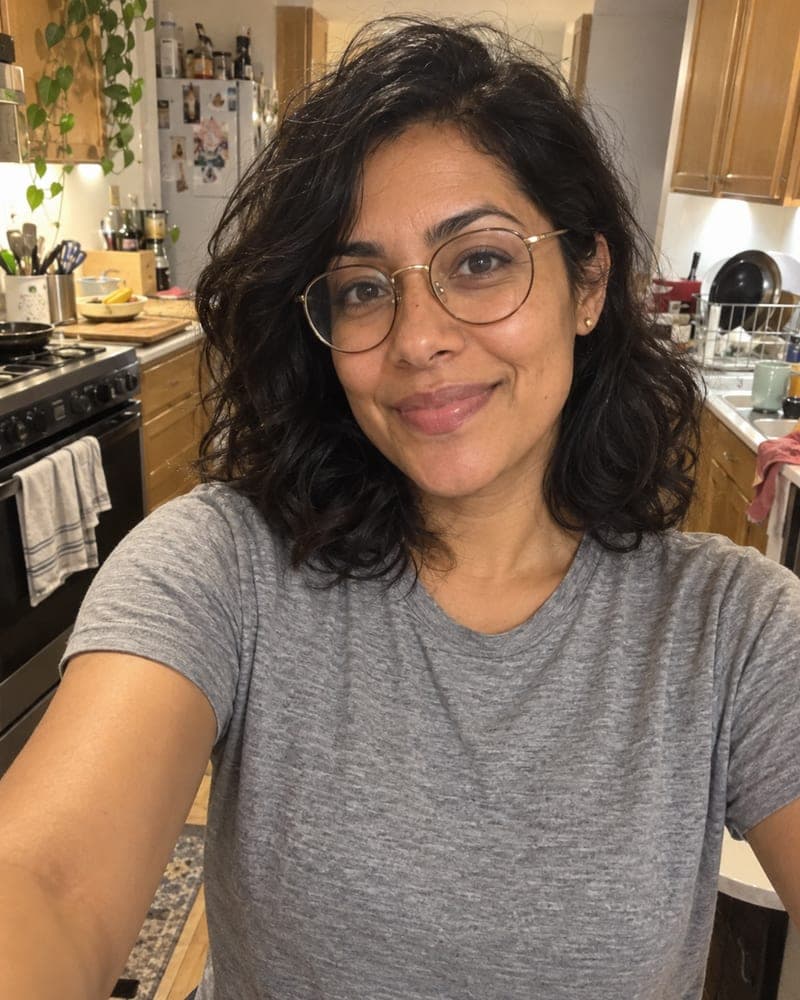
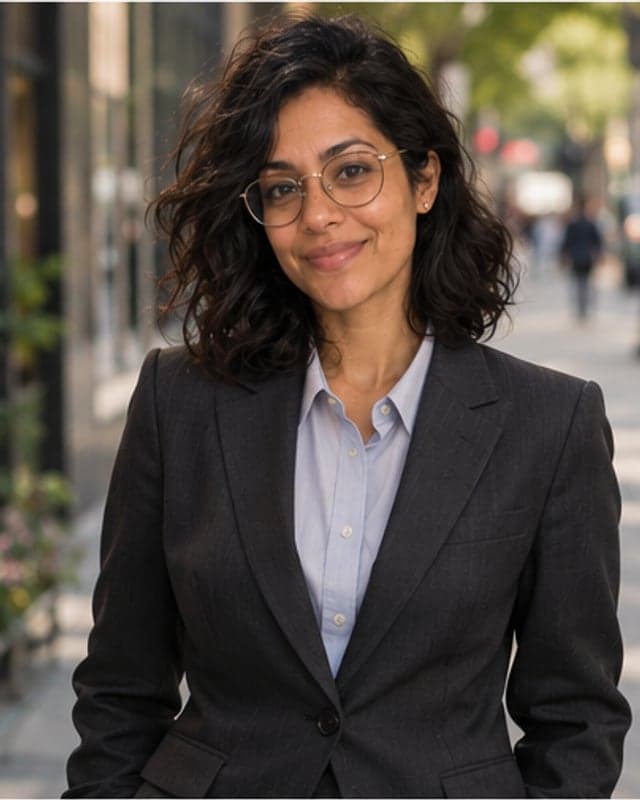
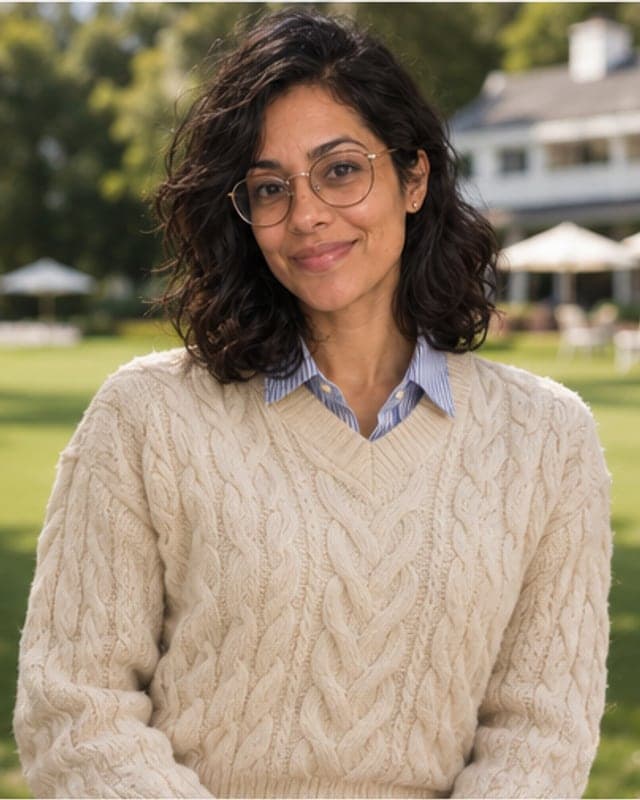
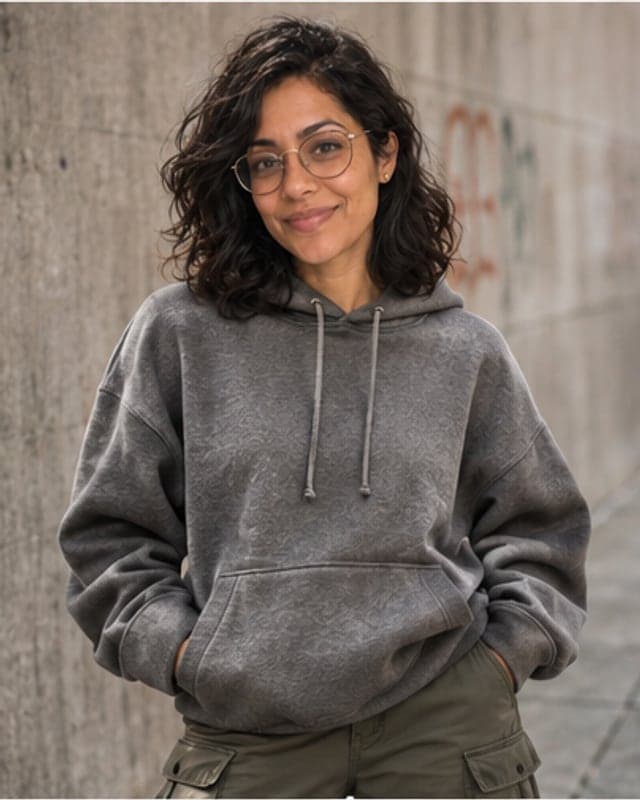
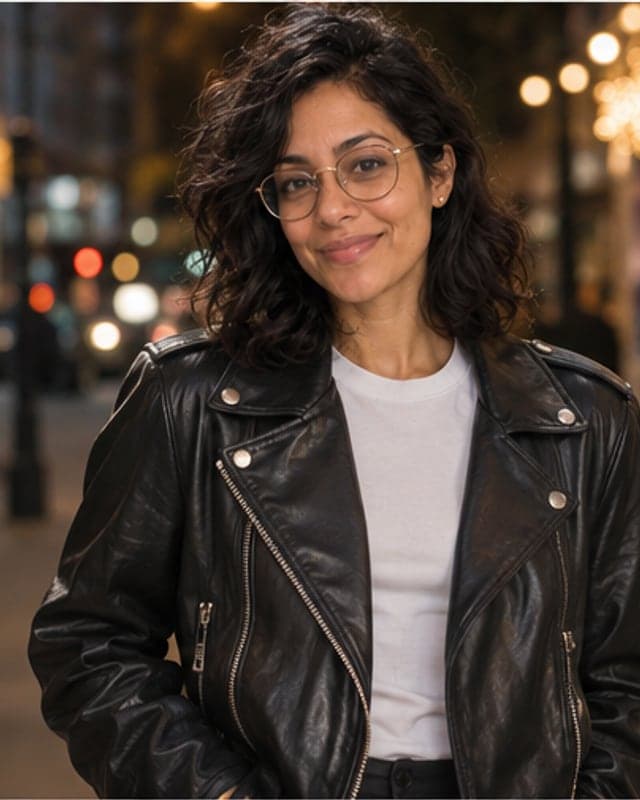
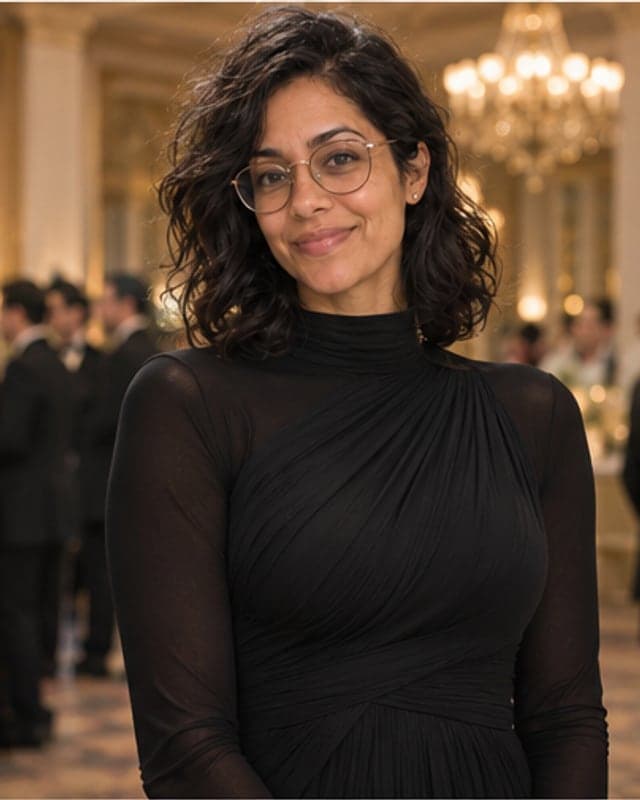
Upload one clear photo of yourself and let an image model change only the clothes. On FaceTwin you tick the consent box, upload a selfie or a waist-up photo and choose one of six outfits: a charcoal tailored suit, an old-money cable knit, streetwear with a hoodie and cargos, a black leather jacket, black-tie evening wear, or a camel winter coat. The model keeps your face, skin tone, hairstyle, glasses, age and body shape, and redraws the outfit with realistic fabric and folds plus a matching background. It is the same idea as asking a chatbot to “put me in that outfit”, but private: nothing is posted publicly. Every photo first passes a safety check — adults only, no nudity, no public figures — and the outfits are fixed, fully clothed presets. The first HD try-on is free with no account; $1.99 covers two more.
- One photo, about 15 seconds per outfit
- 6 outfits: suit, old money, streetwear, leather, evening, winter
- First HD free; then 2 for $1.99 or 5 for $4.99
- 18+ only; photos with minors, nudity or celebrities are refused
More AI try-on tools
Try on an outfit in three steps
- Pick an outfit above: Tailored suit, Old money, Streetwear, Leather jacket, Evening formal or Winter coat. You can switch later without uploading again.
- Tick the consent box and upload one photo of yourself — a selfie works, a waist-up photo works better. One person, face visible, good light.
- See yourself in the outfit in about 15 seconds. The first HD try-on is free; then try the other outfits on the same photo — two for $1.99 or five for $4.99.
There is no account, no app and no public post. The result is a portrait-shaped JPG (4:5) that shows the outfit from the waist or knees up, so you can judge the look, not just the collar.
“@grok put me in that outfit” — the private way to do it
On X, people reply to outfit photos with “@grok put me in that outfit” and get an edit back in public, attached to their profile and to someone else’s post. That works, but the photo and the result sit in a public thread, the chatbot decides what “that outfit” means, and the same trick is routinely abused to undress or sexualise strangers. FaceTwin does the useful half of the trend in private: you choose from curated looks, only you see the result, and the photo is checked before anything is made.
If you saw a specific look you like, pick the closest preset — most viral outfit posts are one of these six: a sharp suit, a quiet-luxury knit, a hoodie-and-cargos fit, a leather jacket, a black-tie look or a long wool coat.
Six outfits, and when each one helps
- Tailored suit — charcoal two-piece, light shirt, city street. Check whether a suit works for a wedding, an interview or a LinkedIn photo before you buy or rent one.
- Old money — cream cable knit over a collared shirt, pressed trousers, a country-club lawn. The quiet-luxury look that keeps trending on TikTok and Pinterest.
- Streetwear — oversized hoodie, cargo pants, clean sneakers, a concrete wall. See how a relaxed, oversized fit sits on you.
- Leather jacket — black biker jacket over a white tee, evening street lights. The classic test of whether you are a leather-jacket person.
- Evening formal — a black tuxedo or a long-sleeved, high-neck floor-length gown in a softly lit ballroom. Useful before a gala, prom-season shopping for adults or a black-tie wedding.
- Winter coat — long camel wool overcoat and scarf on a snowy street. Compare a camel coat with your skin tone before investing in one.
Every outfit comes from the same photo, so you can line them up side by side and see which colours and cuts suit you.
How FaceTwin compares with other virtual try-on sites
We looked at the three sites that rank first for “AI outfit try-on” in the US: bitstudio’s AI clothes changer, ImageHub’s AI virtual try-on and TryTheClothes. All three ask for a photo of you plus a photo of the garment, which is great for shops and stylists but slow when you only want to see a look. None of them states a rule about minors or revealing clothes on the page.
| FaceTwin | bitstudio | ImageHub | TryTheClothes | |
|---|---|---|---|---|
| What you upload | 1 photo of you | You + a garment image | Model photo + garment image | Full-body photo + clothing image |
| Outfits | 6 curated presets | Any garment you upload | Any garment you upload | Any image, plus style quiz picks |
| Free | First result in HD, no watermark | 3 a day, watermarked | 1 task a day across all tools | Free credits after sign-up |
| Account | Not needed | Not needed | Not needed | Needed for credits |
| Minors and nudity | Blocked by a photo check; stated policy | Not stated | Not stated | Not stated |
| Your photo | Not stored; result deleted after 7 days | Not stated on the page | Not stated on the page | Saved to your account |
Pick FaceTwin when you want to see yourself in a style quickly and privately. Pick a garment-upload tool when you need one exact product from a shop on a model.
Safety policy: adults only, fully clothed, your own photo
Outfit editing is easy to misuse, so the rules are built into the tool, not just written here:
- Adults only. Every photo is checked by a vision model before anything is made. If anyone in it may be under 18, the try-on is refused and nothing is charged.
- No nudity or sexual content. Photos with nudity are refused, and there is no way to ask for revealing outfits: no underwear, lingerie, swimwear or see-through clothing. The six outfits are fixed, fully clothed presets and the prompt requires modest clothing.
- Your own photo only. Photos that look like a celebrity or public figure are refused. Do not upload a friend, an ex, a colleague or a stranger — the consent box asks you to confirm it is you.
- If the safety check can’t give an answer, the photo counts as unsafe and is refused.
If you find a result that breaks these rules, contact us from the footer and we will delete it.
Tips for a try-on that still looks like you
- Use a photo with your face clear and looking at the camera; a waist-up photo gives the model more to work with than a tight selfie.
- Soft, even light keeps your skin tone true, which matters when you are judging colours like camel or cream.
- Avoid heavy beauty filters; they push the result toward a generic face.
- Keep your usual hair and glasses — the try-on copies them, so the result shows you as you actually look.
An AI try-on shows the style, colour and silhouette on you; it does not measure your size. Treat it as a mirror for taste, then check the real size chart before you buy.
Privacy: what happens to your photo
Your photo is sent through FaceTwin’s server to the AI image provider only after you tick the consent box. It is checked for safety, used once in memory to make the try-on and then discarded — FaceTwin does not save the original. The result is kept for seven days so you can download it, then deleted. It is never used to train a model, never shown in a gallery and never sold.
Frequently asked questions
Is the AI outfit try-on free?
Your first HD try-on is free, with no account, no e-mail and no watermark, one per browser while the daily free quota lasts. After that $1.99 covers two more outfits and $4.99 covers five. These are one-time payments with no subscription, and a failed generation never uses credits.
Can I upload a photo of the outfit I want?
Not here. To keep the tool safe, you choose from six fixed, fully clothed outfits instead of uploading clothes or typing your own request. If you need one exact product from a shop, a garment-upload tool is the better fit.
Why was my photo refused?
The safety check refuses photos where anyone may be under 18, photos with nudity or sexual content, photos that look like a celebrity or public figure, and photos without exactly one clear face. Nothing is charged when a photo is refused. Try a clear photo of yourself alone.
Will it still look like me?
That is the main rule in the prompt: keep the same face, skin tone, hairstyle, glasses, age and body shape, and change only the clothes and background. Your first try-on is free in HD, so judge it before you pay.
Can I try outfits on someone else?
No. Use only your own photo, and you must be 18 or older. Dressing up another person’s photo without their agreement is exactly the misuse this tool is built to prevent.
Is my photo uploaded?
Not for local lookalikes or face analysis: the model runs in your browser, so your selfie, landmarks and descriptor stay on your device. AI portraits, including the first free one, and full reports send your photo through our server to the AI provider after a free first-portrait request or a credit purchase, and separate upload consent. Reports also send your numeric measurements. FaceTwin does not save the original photo; it is discarded from request memory after processing.
More from the same selfie
Related by topic
Hairstyles by face shape
- Hairstyles for oval faces
- Hairstyles for round faces
- Hairstyles for square faces
- Hairstyles for heart-shaped faces
- AI hairstyle try-on
- French bob try-on
- Face shape detector
- Face shape + hairstyles
- Hairstyles for oblong faces
- Hairstyles for diamond faces
- Hairstyles for triangle faces
- Glasses for face shape
- Eyebrow shape for face shape
- Gemini AI hairstyle
- AI hair color changer
The data behind the scores: FaceTwin facts · face shape statistics
Last updated 2026-10-18. FaceTwin is for entertainment and is not identity recognition, medical or cosmetic advice.