
How do I make a Christmas PFP of myself?
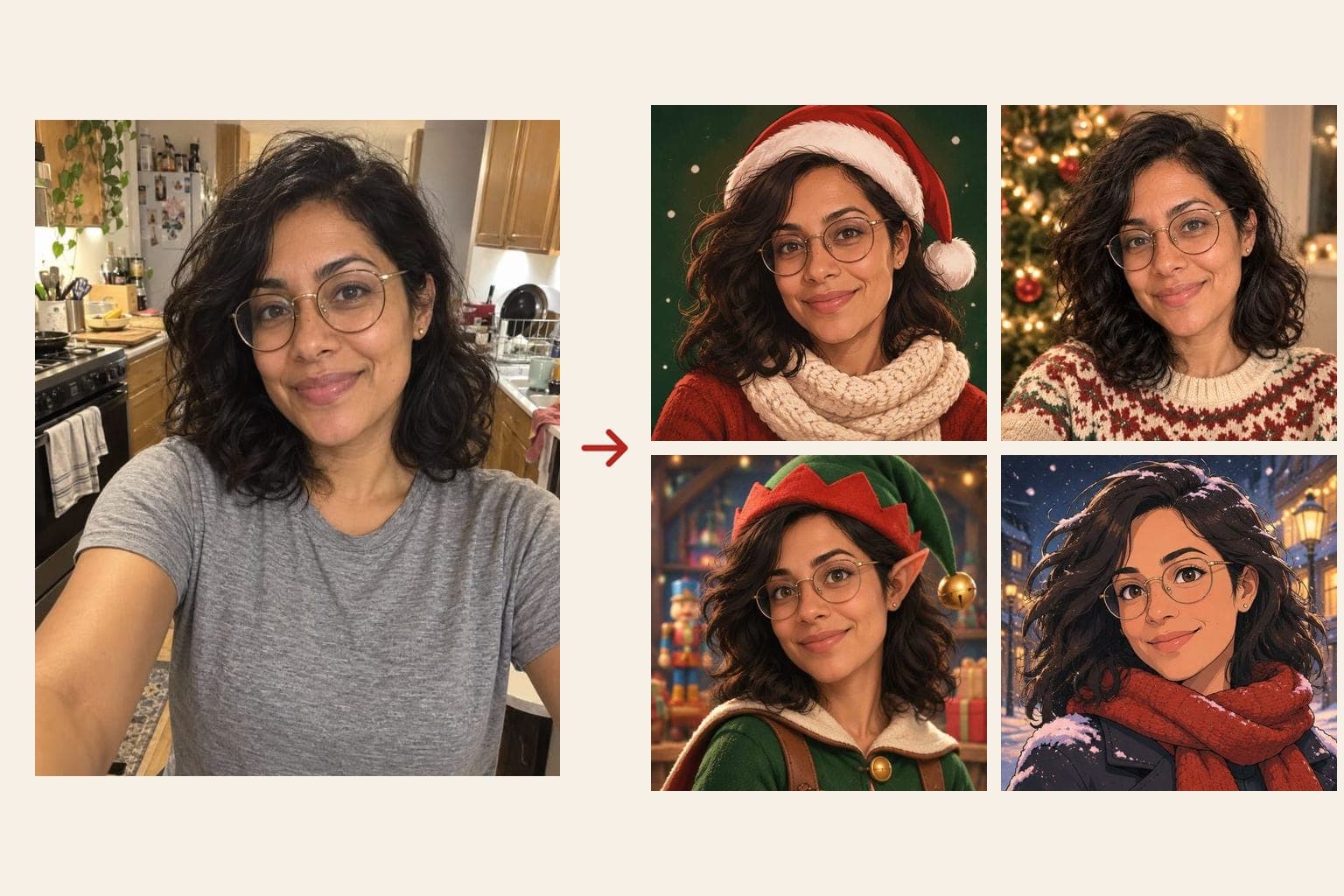
Short answer: To make a Christmas PFP of yourself, upload one clear selfie to FaceTwin and pick a look — Santa hat illustration, cosy Christmas sweater photo, 3D elf or winter anime. The AI redraws you in about 15 seconds and keeps your face, glasses and hair. The first HD Christmas PFP is free with no account; two more cost $1.99.
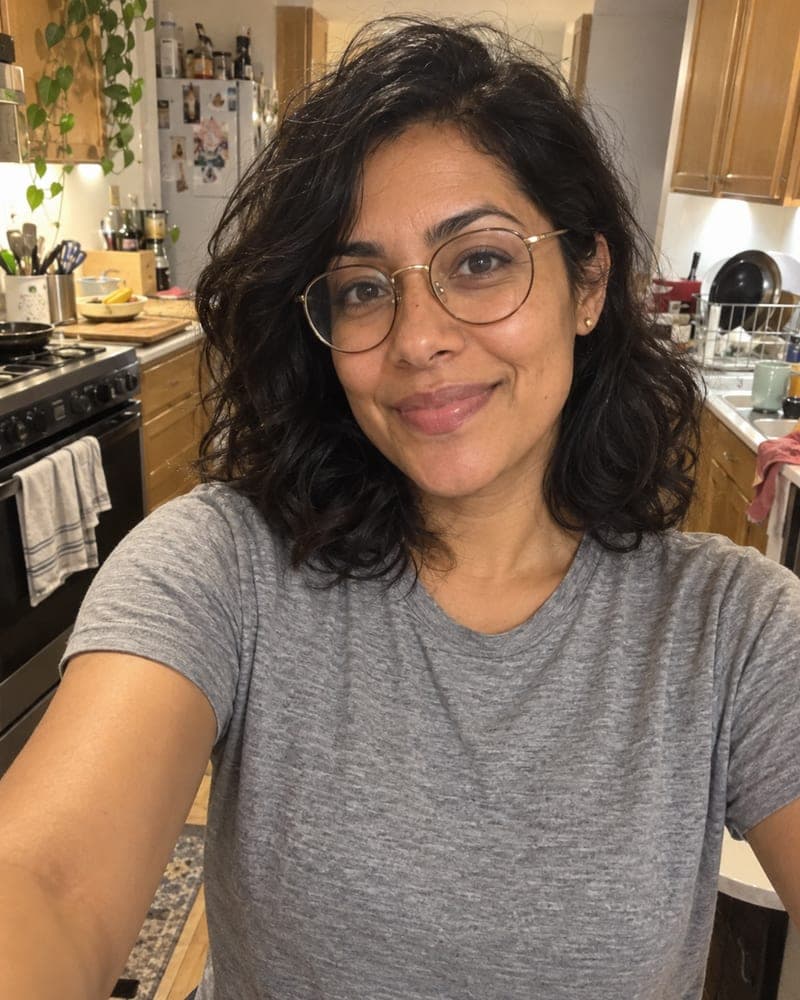
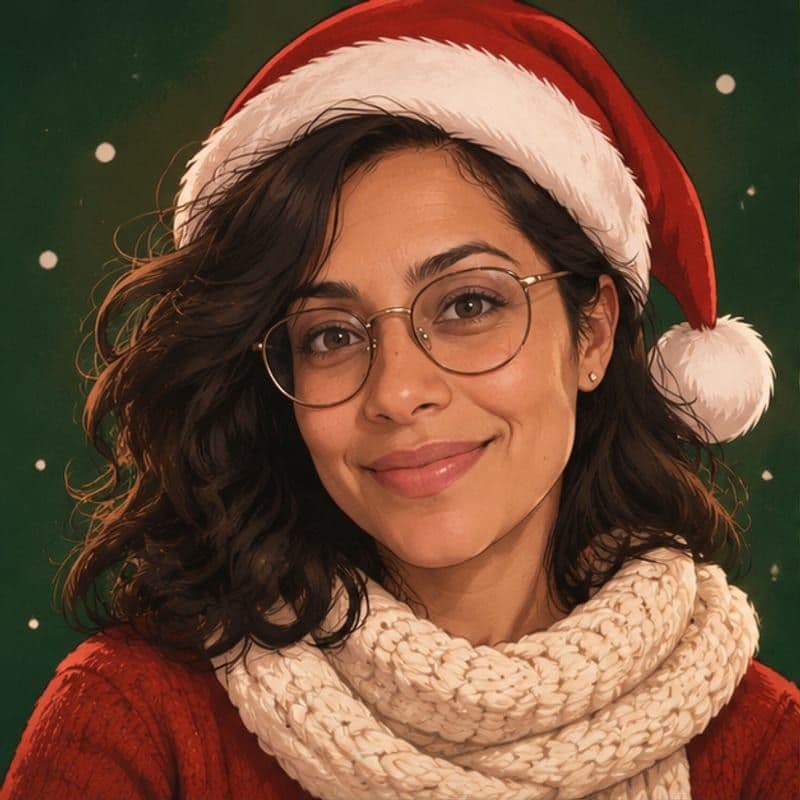
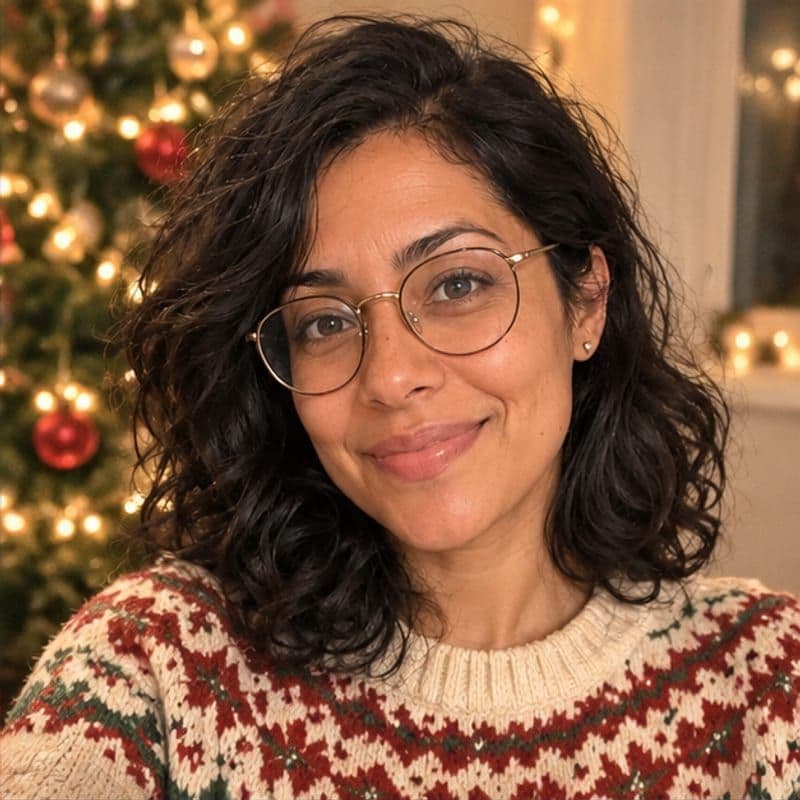
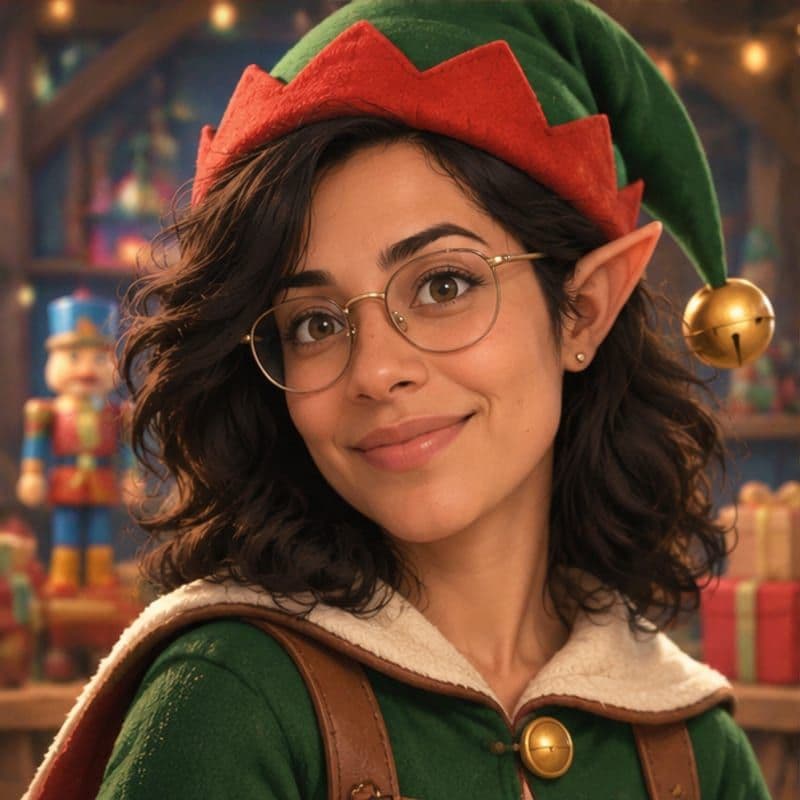
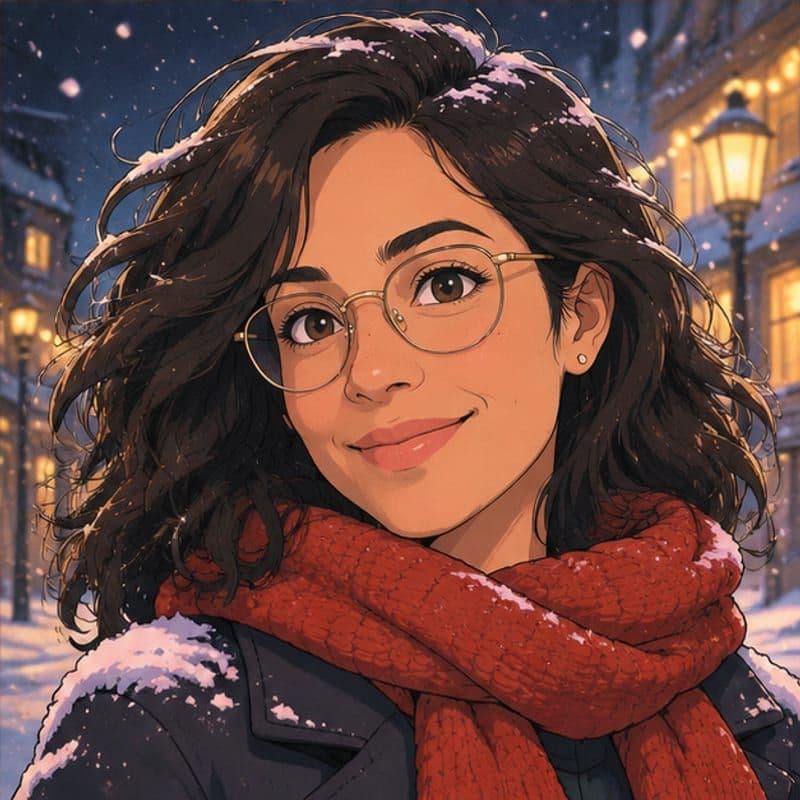
The quickest way is to let an AI redraw your own selfie in a festive style instead of pasting a Santa-hat sticker on top. On FaceTwin you tick the consent box, upload one clear selfie and choose a look: an illustrated Santa hat avatar on a snowy green background, a photo-style portrait in a knitted Christmas sweater by a softly lit tree, a 3D animated elf, or a winter anime avatar with falling snow. An image model uses the selfie as its only reference and keeps your face shape, eyes, skin tone, hairstyle, glasses and age, while it changes the clothes, hat, lighting and background. The square result appears in about 15 seconds and fits every app’s round crop. Your first HD Christmas PFP is free, with no account; after that $1.99 covers two more and $4.99 covers five. FaceTwin does not keep your original photo and deletes the result after seven days.
- One selfie, about 15 seconds per PFP
- 4 looks: Santa hat, cosy sweater, 3D elf, winter anime
- First HD free; then 2 for $1.99 or 5 for $4.99
- Square 1:1, ready for Discord, Instagram, X, TikTok
More AI headshot and profile picture tools
Make a Christmas PFP in three steps
- Pick a Christmas look above: Santa hat, Cosy sweater photo, 3D elf or Winter anime. You can switch later without uploading again.
- Tick the consent box and upload one selfie of yourself, or take one with your phone. Face the camera in soft light, with your usual glasses and hair.
- Get your Christmas PFP in about 15 seconds. The first HD one is free; download it, then make the other looks from the same selfie — two more for $1.99 or five for $4.99.
There is no account, no e-mail and no app to install. The file is a square JPG you can set as your profile picture straight away, and swap back after the holidays.
Four Christmas looks, and where each one works best
- Santa hat — a clean illustrated avatar in a red Santa hat and knitted scarf on a deep pine-green background with soft snowflakes. Reads clearly at tiny sizes, so it is the safest pick for Discord, Slack, X and group chats.
- Cosy sweater photo — still a photo of you, now in a chunky Christmas jumper with a glowing tree softly blurred behind. Good for Instagram, Facebook, WhatsApp and LinkedIn in December, where a cartoon can feel too casual.
- 3D elf — a friendly animated-film elf with a pointed hat and bell, in a warm snowy workshop. Playful for TikTok, YouTube, Twitch and family chats.
- Winter anime — line art and cel shading with a red scarf, falling snow and city lights. The classic seasonal avatar for anime, gaming and fan communities.
Every look is drawn from the same selfie, so a whole friend group or team can each make their own and still get a matching set for the holidays.
AI Christmas PFP vs. Santa-hat stickers and Pinterest pictures
Most Christmas PFP searches end in one of three places: a gallery of other people’s pictures, a sticker tool that drops a Santa hat on your photo, or a design template you fill in yourself. A Pinterest picture is not you, and using a stranger’s photo or a cartoon character you don’t own is a grey area. A sticker hat sits on top of the photo, so it rarely matches the angle or the light. FaceTwin redraws the whole picture around your face — hat, clothes, light and background change together — so the result looks like one festive portrait rather than a cut-out.
| FaceTwin | Santa-hat sticker tool | Pinterest / gallery PFP | |
|---|---|---|---|
| Is it your face? | Yes, redrawn from your selfie | Yes, original photo | No — someone else’s image |
| Looks | 4: illustrated, photo, 3D, anime | One hat overlay | Whatever you can find |
| Matches light and angle | Yes, whole image regenerated | Often looks pasted on | — |
| Account | Not needed | Usually not needed | Sign-in to save |
| Price | First HD free, then 2 for $1.99 | Free | Free, but not yours to use |
Tips for the best Christmas profile picture
The model keeps what it sees, so a clear selfie gives a truer festive version of you. A blurry or heavily filtered photo makes the face drift toward a generic character.
- Face the camera with your whole face visible; avoid sunglasses, masks and hands near the face.
- Use soft window light rather than an overhead bulb or a strong backlight.
- Keep your current hair, beard and glasses — the Christmas PFP will copy them.
- Turn off beauty filters and portrait blur; they flatten your features.
- Already wearing a Christmas jumper or hat? Fine — the cosy sweater look will keep the mood and tidy the background.
Profile pictures are shown as small circles, so the Santa hat and winter anime looks keep the face large and the background simple. If you want a matching banner or a group set, make each look from the same selfie and use them across your apps until early January.
Sizes, rights and good manners
The HD file is around 1024 pixels square — plenty for Discord, Instagram, X, TikTok, WhatsApp, Slack, Steam and LinkedIn, which all crop to a circle or square. The Christmas PFP is yours to use as a profile picture, on a holiday card or in your own posts. Make one only of yourself: do not upload a friend, a colleague, a public figure or a child, and do not use it to pretend to be someone else. For a family or team set, ask each adult to make their own.
Privacy: what happens to your selfie
Your selfie is sent through FaceTwin’s server to the AI image provider only after you tick the consent box. FaceTwin does not save the original photo: it is used once in memory to make the headshot and then discarded. The result is kept for seven days so you can download it, then deleted. It is never used to train a model, never shown in a gallery and never sold. Use only your own photo — you must be 18 or older.
Frequently asked questions
Is the Christmas PFP maker free?
Your first HD Christmas PFP is free, with no account, no e-mail and no watermark, one per browser while the daily free quota lasts. After that $1.99 covers two more and $4.99 covers five. These are one-time payments with no subscription, and a failed generation never uses credits.
Which Christmas looks can I choose?
Four: an illustrated Santa hat avatar, a photo-style portrait in a cosy Christmas sweater by the tree, a 3D animated elf and a winter anime avatar. For everyday looks after the holidays, the AI avatar generator adds anime, 3D, pixel art and comic, and the PFP maker makes a simple illustrated avatar.
Is this just a Santa hat sticker?
No. A sticker tool pastes a hat on top of your photo. FaceTwin sends your selfie to an image model that regenerates the whole picture — hat, clothes, light and background together — while keeping your face, so the hat sits naturally and the lighting matches.
Will it still look like me?
That is the main rule in the prompt: keep the same face shape, eyes, nose, mouth, skin tone and texture, hairline, hairstyle, facial hair, glasses and age, and change only the outfit, background, lighting and framing. No face slimming or heavy smoothing. Your first headshot is free in HD, so judge it before you pay; if one scene misses, $1.99 covers two more scenes.
Can I make a headshot of someone else?
Only of yourself, and you must be 18 or older. The consent box asks you to confirm the photo is of you. Do not upload a colleague, a stranger, a public figure or a child — for a team page, ask each person to make their own.
Is my photo uploaded?
Not for local lookalikes or face analysis: the model runs in your browser, so your selfie, landmarks and descriptor stay on your device. AI portraits, including the first free one, and full reports send your photo through our server to the AI provider after a free first-portrait request or a credit purchase, and separate upload consent. Reports also send your numeric measurements. FaceTwin does not save the original photo; it is discarded from request memory after processing.
More from the same selfie
Related by topic
Headshots and profile pictures
The data behind the scores: FaceTwin facts · face shape statistics
Last updated 2026-10-18. FaceTwin is for entertainment and is not identity recognition, medical or cosmetic advice.